



Godiag GT107+ DSG Plus can work with foxflash ECU programmer to read DQ200 and DQ250 TCU data. It needs to set GODIAG GT107 + analog ignition switch in “manual” mode.
Godiag GT107+ DSG Plus and foxflash Read DQ200:
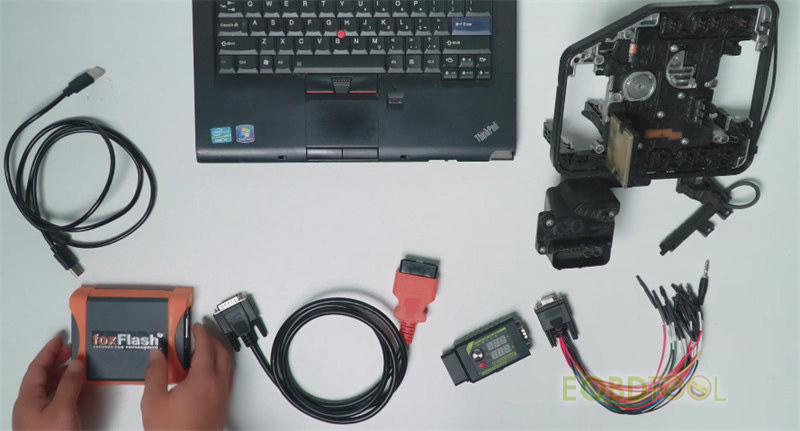
Accessories required:
- Godiag GT107+ DSG Plus Gearbox Data Adapter
- Godiag DB9 DSG Gearbox Universal Conversion Jumper
- Foxflash ECU Chip Tuning Tool
- OBD cable
- USB cable
- Laptop
- DQ200 TCU: i.e. AUDI GEAR A3 DSG DQ200
Connection:
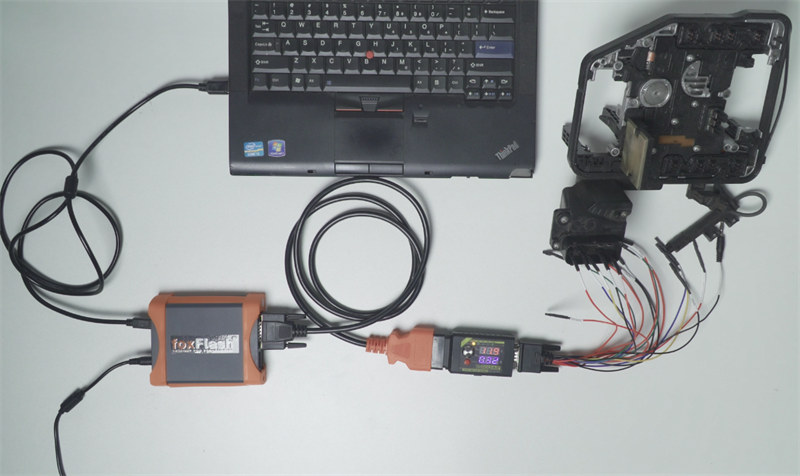
Connect foxflash and computer via the USB cable
Connect foxflash and Godiag GT107+ with the main cable
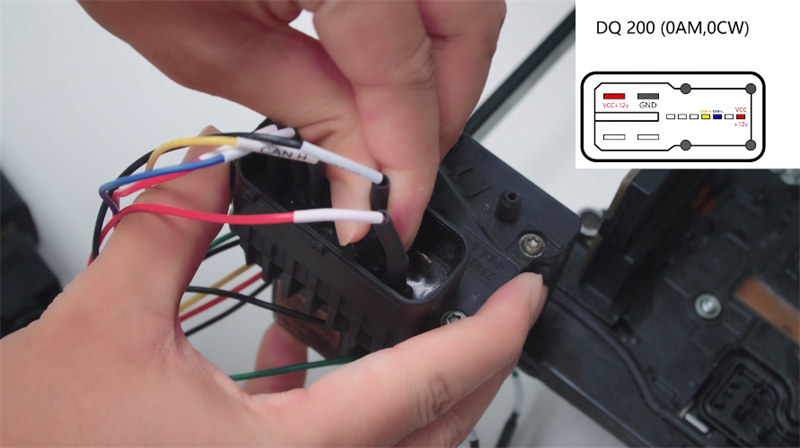
Connect GT107+ to DQ200 TCU according to the pinout
Supply power to foxflash
Operation:
Enable network connection
Run foxflash manager and software
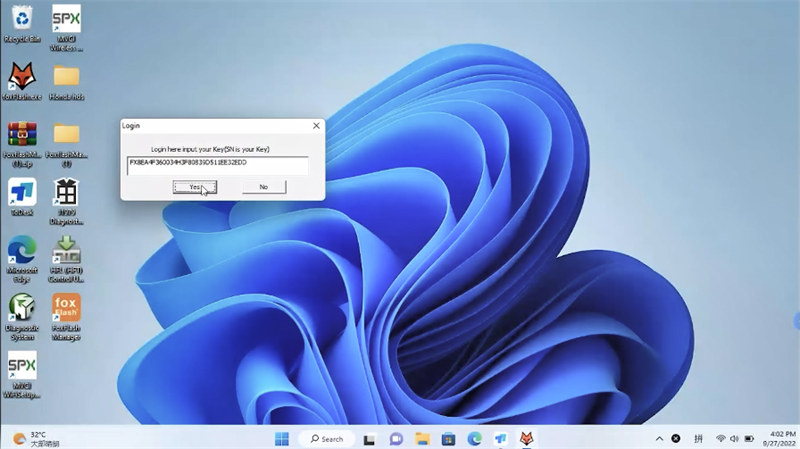
Login with the key (SN)
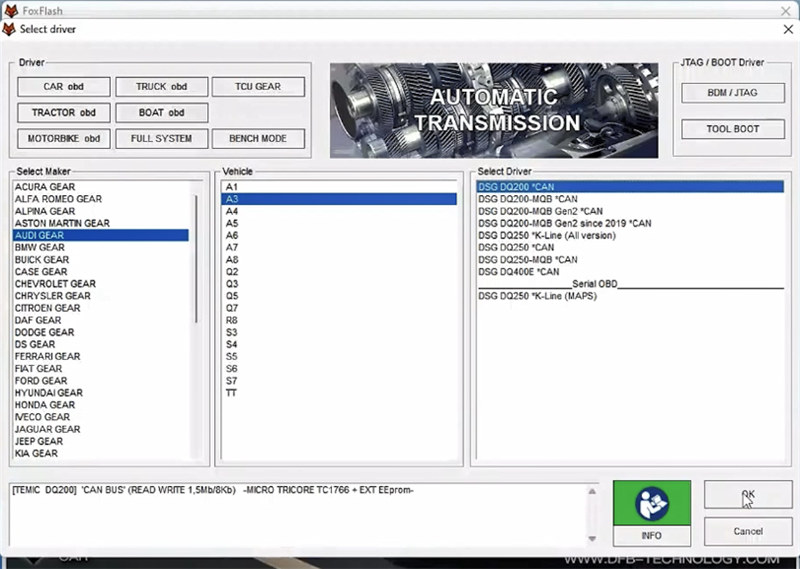
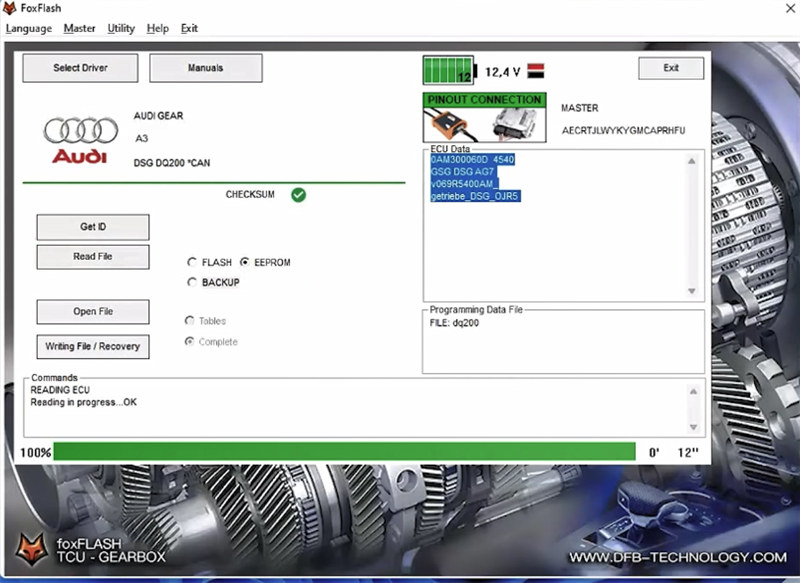
Select driver>> AUDI GEAR>> A3>> DSG DQ200*CAN>> OK
Click “Get ID”
Turn on the dashboard (ignition)
Read data successfully
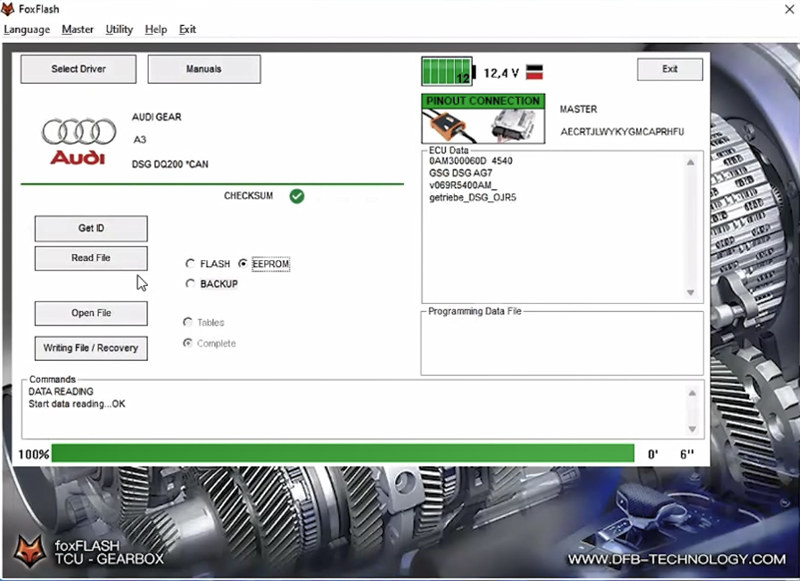
Click “Read file”
Enable a new file to save the data
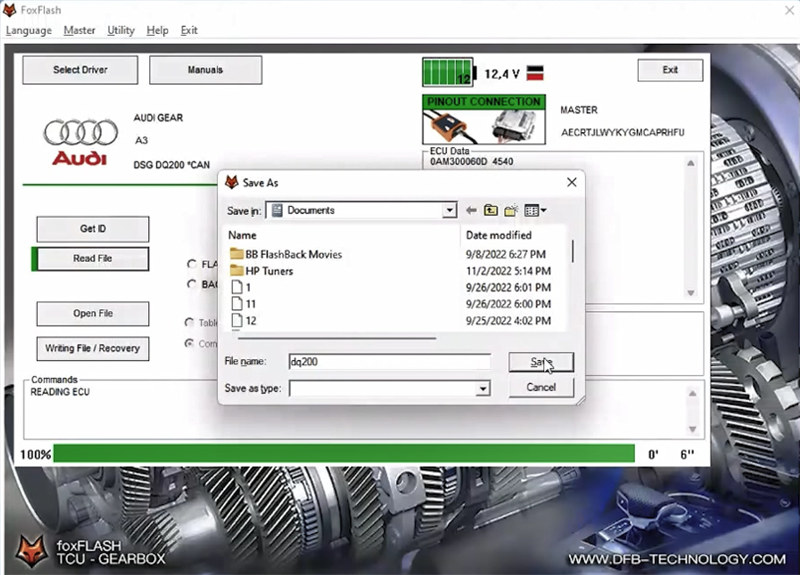
Turn off the dashboard (ignition)
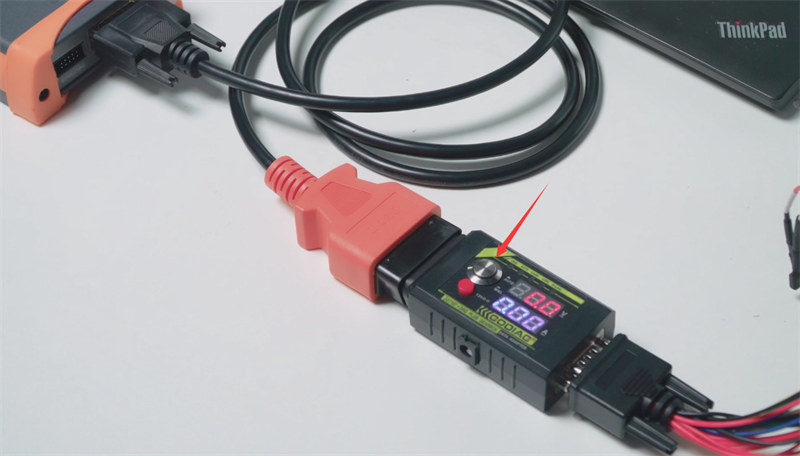
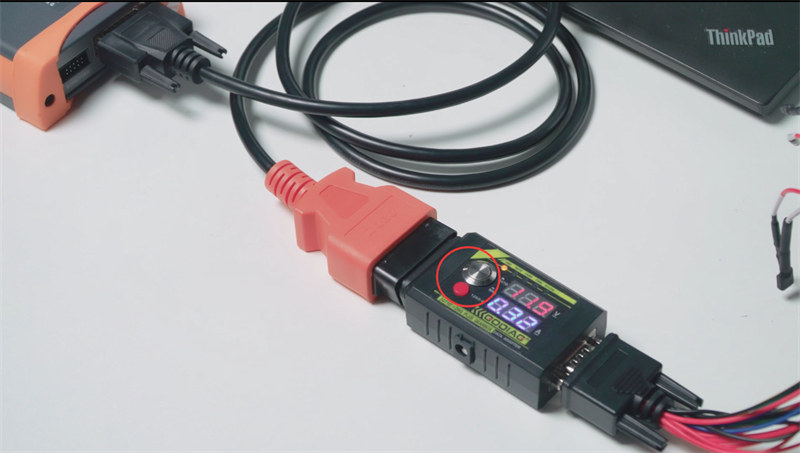
Then turn on (press the GT107+ switch button), and press 120 ohm CAN resistance switch
Read DQ200 TCU data successfully
Finally, turn off the dashboard.
Godiag GT107+ DSG Plus and foxflash Read DQ250:
The connection method and operation steps are the same as DQ200.
Connect foxflash, GT107+ adapter, DQ250 TCU and computer correctly
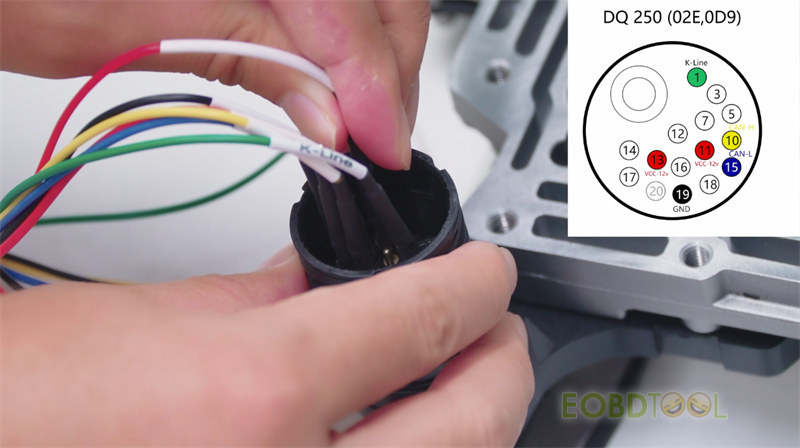
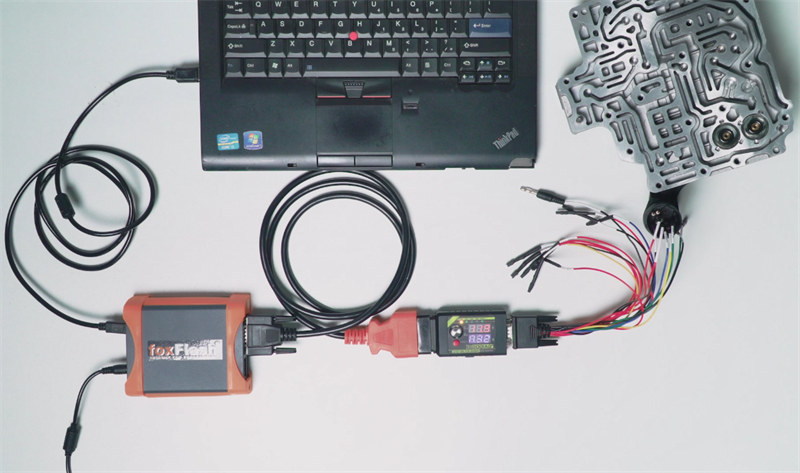
Then run foxflash software
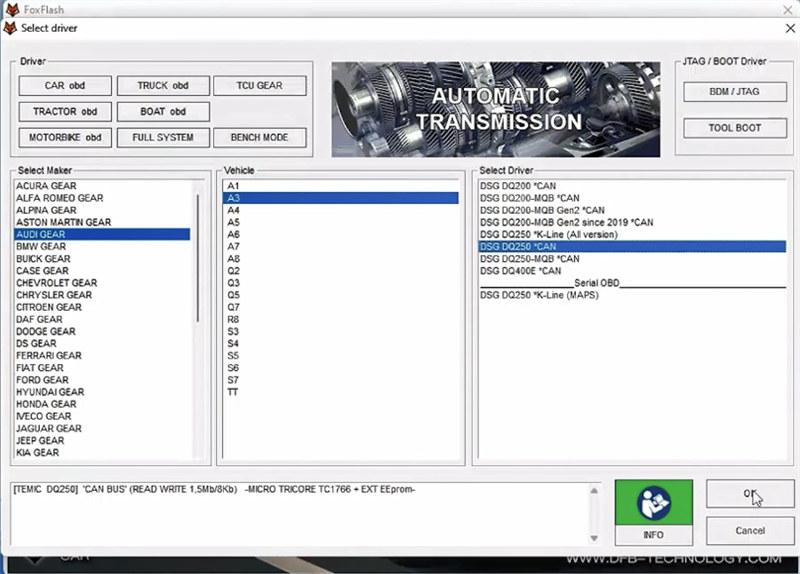
Select driver>> AUDI GEAR>> A3 DSG DQ250*CAN>> OK
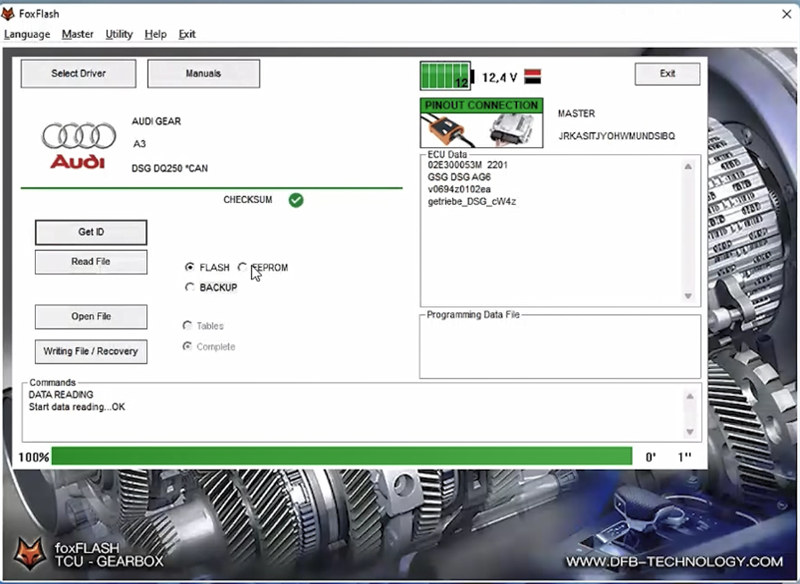
Get ID- OK
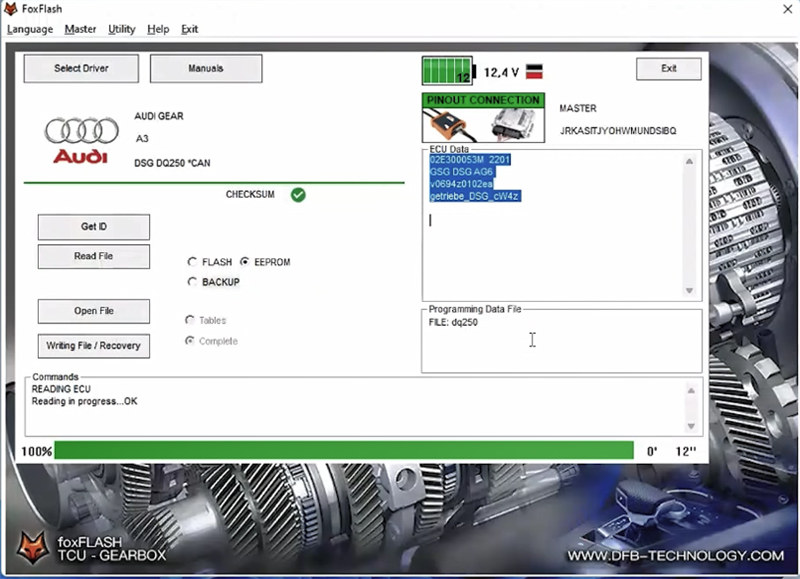
Read file- OK
Tech support:
Skype: foxflash.co.uk
Whatapp: +86 152 7181 3909
foxFlash official site:https://www.foxflash.co.uk